Melbourne, Victoria · Weekend appointments

Dependable IT setup for small businesses and schools.

I set up and look after the servers, networks, wifi, Microsoft 365 and security that keep your team working — done properly, explained clearly, and scheduled on weekends so nobody is interrupted.

Certified
Cisco · Microsoft · CompTIA
Built for
Teams without in-house IT
You keep
Full documentation
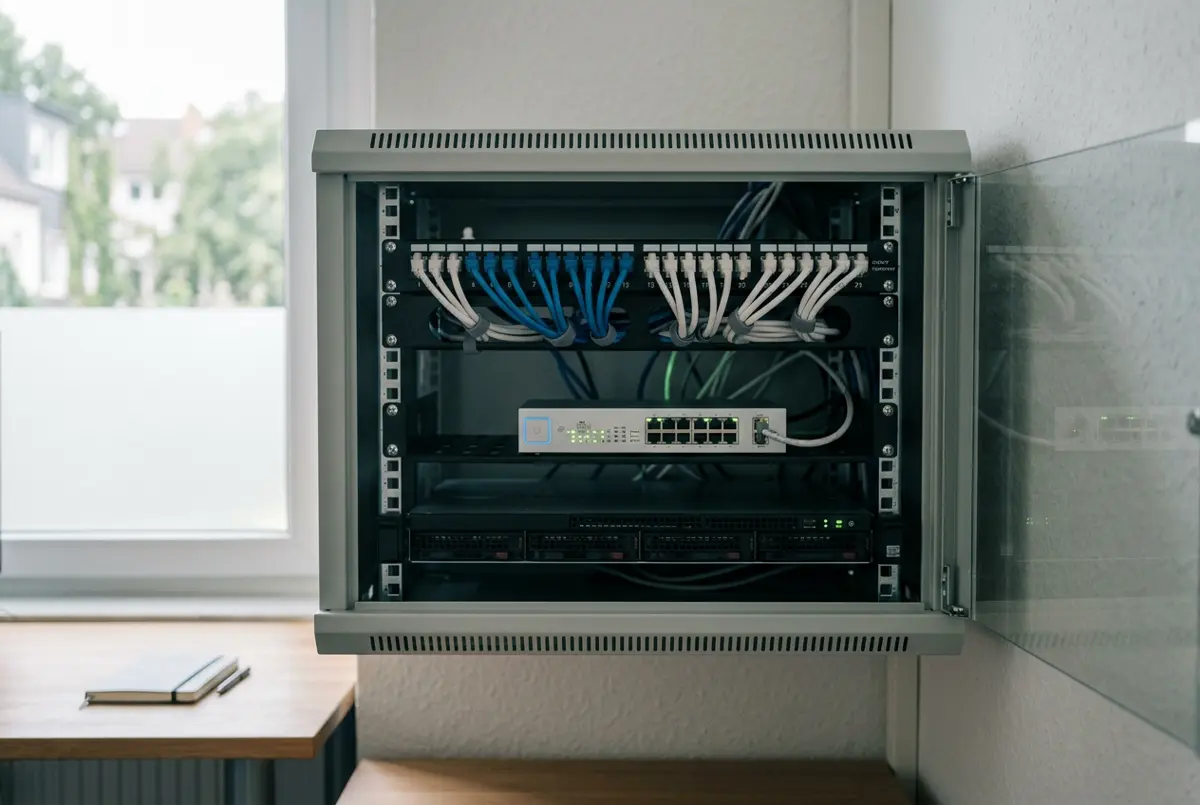
A tidy wall-mounted network cabinet with neatly labelled cables, a network switch and a small server
Neat, labelled, documented.The way your network should be left.

01Services

What I can help with

From a single office to a whole school campus. If you’re not sure which of these you need, that’s fine — describe the problem and I’ll point you in the right direction.

  • Servers & user accounts

    A central place to manage staff logins, shared files and permissions.

    Windows Server and Active Directory setup, including DHCP and DNS configuration.

  • Network & wifi

    Reliable internet and wifi that reaches every room, with guests kept separate.

    Switching, cabling plans, access points and guest network separation.

  • Firewall setup

    A properly configured gatekeeper between your network and the internet.

    Firewall rules, content filtering and safe defaults that are documented.

  • Secure remote access

    Let staff reach office files from home without leaving the door open.

    VPN setup for remote workers and connecting multiple sites.

  • Security check-ups

    A clear, plain-English report on where you are exposed and what to fix first.

    Network security audits covering devices, accounts, wifi and firewall settings.

  • Microsoft 365 & device management

    Email, accounts and laptops set up consistently, and easy to manage as you grow.

    Microsoft 365, Entra ID and Intune — including laptop enrolment and policies.

  1. Step 1

    Have a chat

    Tell me what’s going on — slow wifi, a new office, an ageing server. No jargon needed.

  2. Step 2

    Get a clear plan

    You get a short written plan with what I recommend, why, and an upfront quote.

  3. Step 3

    Weekend work

    Work is done on weekends so your staff and students aren’t interrupted.

  4. Step 4

    Hand-over

    You receive simple documentation and passwords, so you’re never locked in.

02Background

Qualified, and hands-on

I hold industry certifications across networking, Microsoft cloud, device management and security, and I work day-to-day in hybrid IT environments — where office servers and cloud services run side by side, just like most small businesses and schools.

  • Networking

    Cisco CCNA

    Routing, switching and network design

  • CloudAZ-104

    Microsoft Azure Administrator

    Managing Microsoft cloud identity, storage and networking

  • DevicesMD-102

    Microsoft Endpoint Administrator

    Deploying and securing laptops and desktops with Intune

  • Security

    CompTIA Security+

    Core security practice and risk management

Hands-on experience with

  • Active Directory
  • Entra ID
  • Intune
  • Microsoft 365
  • DHCP / DNS
  • SCCM
  • Enterprise networking
  • Hybrid IT environments

03Recent work

Lab and portfolio projects

Real-world setups built and tested in a lab environment, mirroring what small offices and schools typically need. Each one is written up the way I’d explain it to you.

IdentityProject 01

Connecting an office server to Microsoft 365

Built a hybrid lab where an on-site Active Directory server syncs with Entra ID, so each person has one username and password for both their PC and Microsoft 365.

What it means for youOne login per person, and leavers can be switched off in one place.

  • Active Directory
  • Entra Connect
  • Microsoft 365
DevicesProject 02

Rolling out student laptops for a school

Designed an Intune setup for a mock school: new laptops enrol themselves when first switched on, receive the right apps and wifi, and must meet basic security settings before accessing school data.

What it means for youLaptops ready out of the box, without imaging each one by hand.

  • Intune
  • Windows Autopilot
  • Entra ID
NetworkProject 03

Separating a small-office network

Split a lab office network into separate zones for staff, guests, printers and cameras, with firewall rules controlling what can talk to what.

What it means for youA visitor on guest wifi can’t see the accounts PC or the printers.

  • VLANs
  • Firewall rules
  • Guest wifi
Remote accessProject 04

Secure access between two sites

Configured a site-to-site VPN between two lab offices and a remote-access VPN for staff working from home, then documented the setup for hand-over.

What it means for youBoth offices share files securely, and home workers connect safely.

  • Site-to-site VPN
  • Remote-access VPN
  • DNS

04Contact

Let’s talk about your setup

Send a short message about what you need. The first conversation is free and there’s no obligation — I’ll let you know honestly whether I’m the right fit.

Service area
Melbourne and surrounding suburbs
Availability
Saturdays and Sundays, by appointment
Response time
Within two business days